Clothing Panel refresh
Published November 23, 2025
By Gabys  , idezye
The Clothing Panel is the next Gybasoft product to receive a visual refresh, together with a handful of Quality of Life improvements
A breath of fresh air
The panel has been updated with a new design, matching the consistent Gybasoft design as seen on other updated products (such as GLights, Lyrics Controller, Host Gui, etc.). Many of the buttons across the panel now include icons, making the purpose of the buttons clearer and more obvious from first glance.
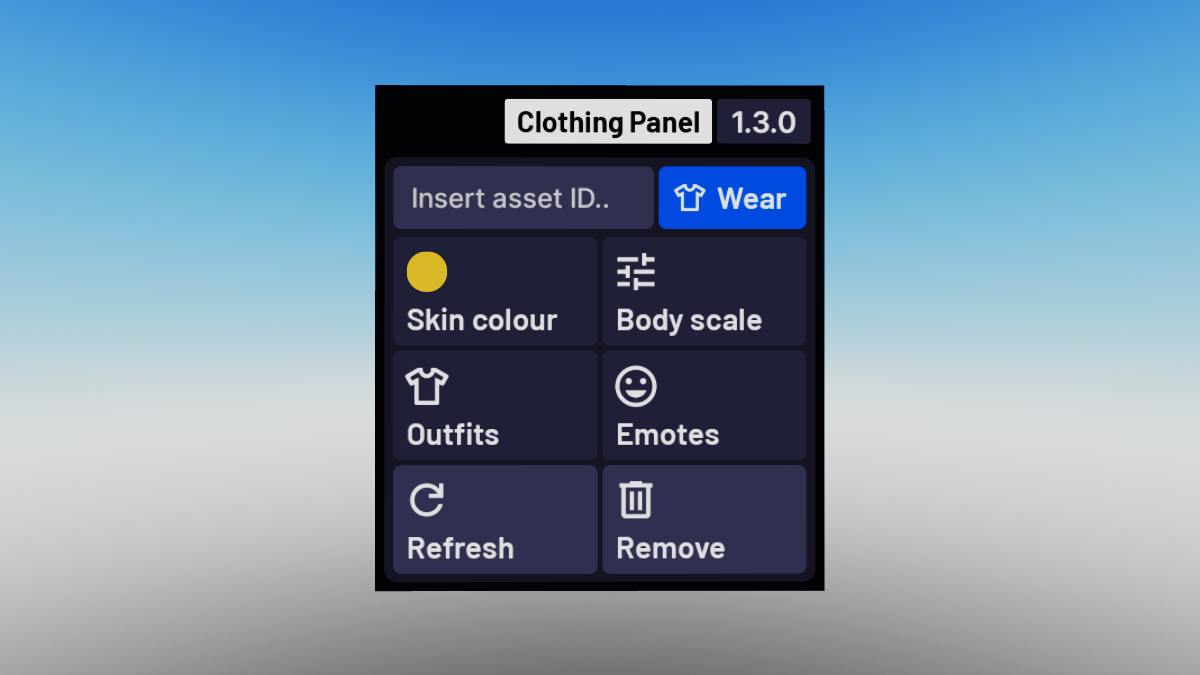
The new main page of the updated Clothing Panel
Unified input box
Previously, all clothing items, animations, faces and body parts (bundles) had to be loaded through through separate menus - making it a hassle if you were trying to wear a lot of items in one go. We have combined all of these different input boxes into one input box, located straight on the main screen of the panel. The new input box lets you wear all sorts of items quickly, without having to switch between multiple menus.
Emotes!
With this update, we are finally introducing the ability to equip different emotes for your avatar. Simply open the emotes menu, pick one of the 8 emote slots in the menu and insert the ID of the emote from the Marketplace to equip it on your avatar. These emotes will also save alongside any outfits you create.
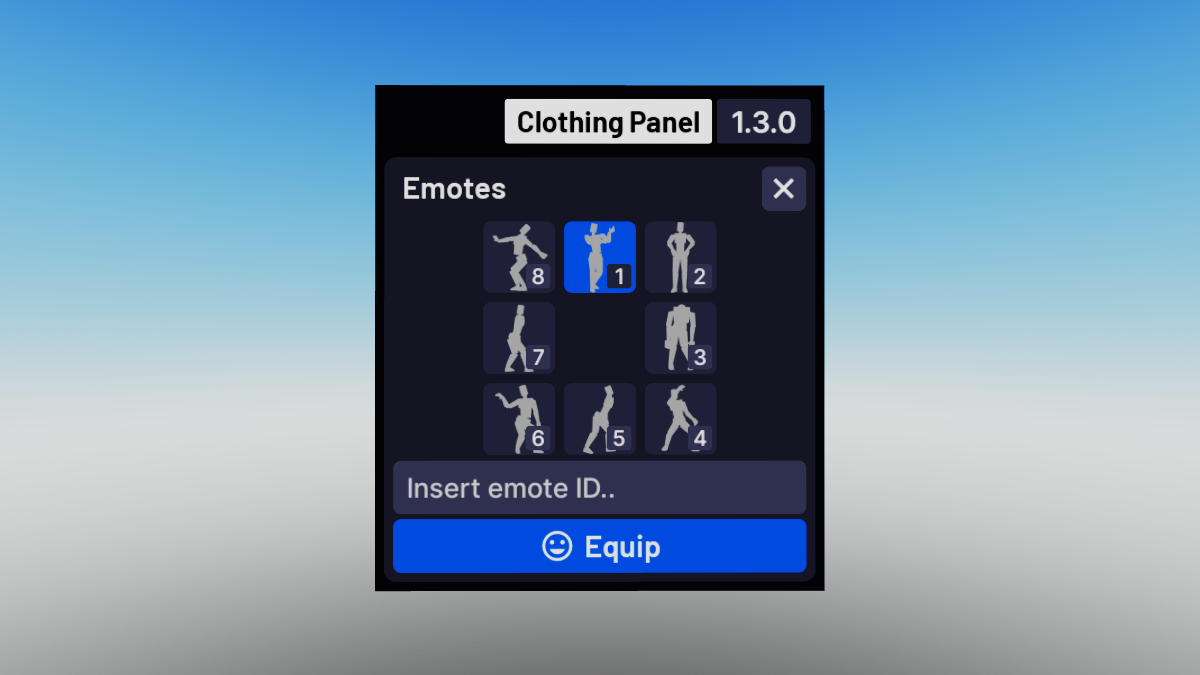
The new emotes menu on the Clothing Panel
Improved outfits
The outfits list has been improved significantly, introducing a search bar and clearer privacy status. In the outfit details view, you can now see all the items that are included in the outfit. New outfits will also save all of your currently equipped emotes.
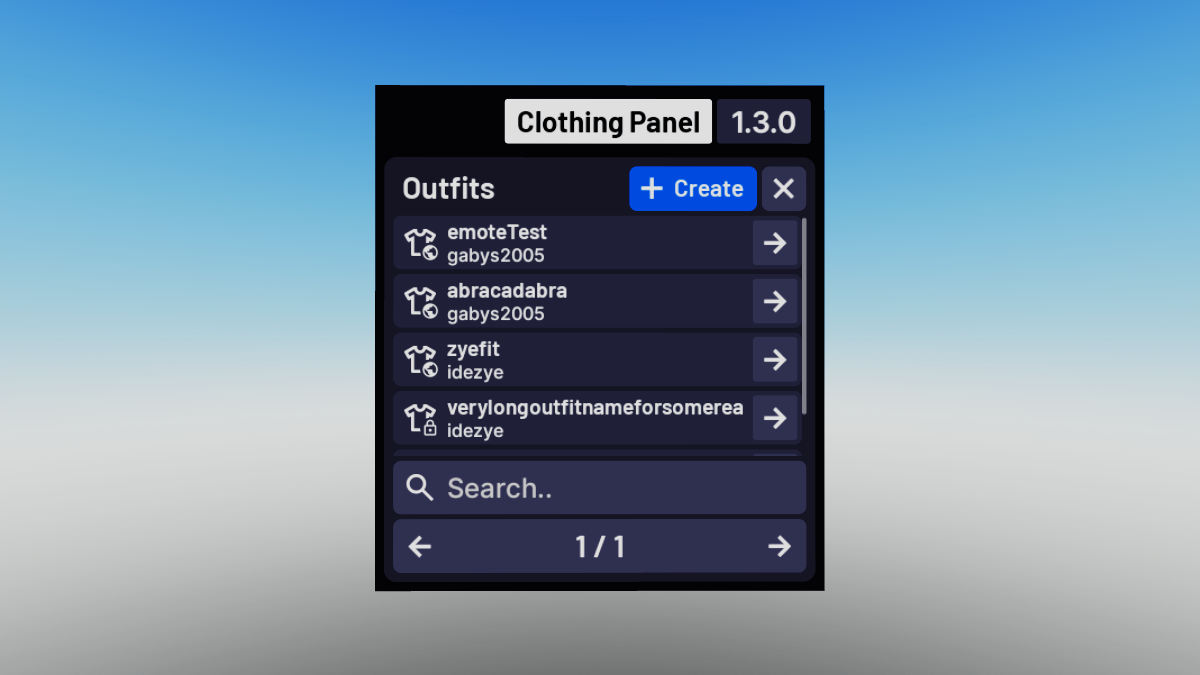
The improved outfits list on the Clothing Panel
Even more updates!
Alongside all the big changes introduced in this update, we also worked on some other parts of the Clothing Panel.
- Added ability to reset body scale sliders either individually or all at once
- Added custom input fields for body scale
- Added ability to remove all items in the remove menu at once
- Added an “About” window to the panel, including credits and version information
- Improved remove menu loading times, making it load much faster compared to the previous version
- Improved body scale slider behaviour and added a slider for head scale
- Improved translation for other languages where possible
- Upgraded the update notification system, enabling us to also show important announcements on the panel
Updated documentation
The documentation of the Clothing Panel has been updated to reflect the new changes introduced in this update, explaining further about the available customisation options and panel settings in the developer and user guides.
How do I update?
The process to update your Clothing Panel is very straightforward, however we are looking into ways to make it even easier in the future. This update will require replacing all of your existing panels.
- Remove the already existing Clothing Panel folder from your game
- Insert the official updated Clothing Panel model from the toolbox
- 🎉congrampt
Note: All your existing outfits that were previously saved with the old panel are kept, nothing will be lost!
To view the full list of changes introduced in this update, you can take a look at the changelog.